Grain
Set the amount, size and roughness. The grain sits on its own overlay layer above the color.
UltraTone is a gradient mapping plugin for Photoshop. It holds 400 looks in 20 categories, from film and cinema grades to riso inks and heatmaps, and builds each one in your document as editable layers with curves, grain and bloom.
This demo runs the same engine as the plugin. Pick a photo and a category, then click through the looks. Hold the image to see the original.
UltraTone looks and feels like a piece of hardware, with chunky buttons, sliders and a dot-matrix readout. It docks in Photoshop like any other panel and comes in seven Y2K-inspired color combinations. Switch between them using the dots in the upper right corner.
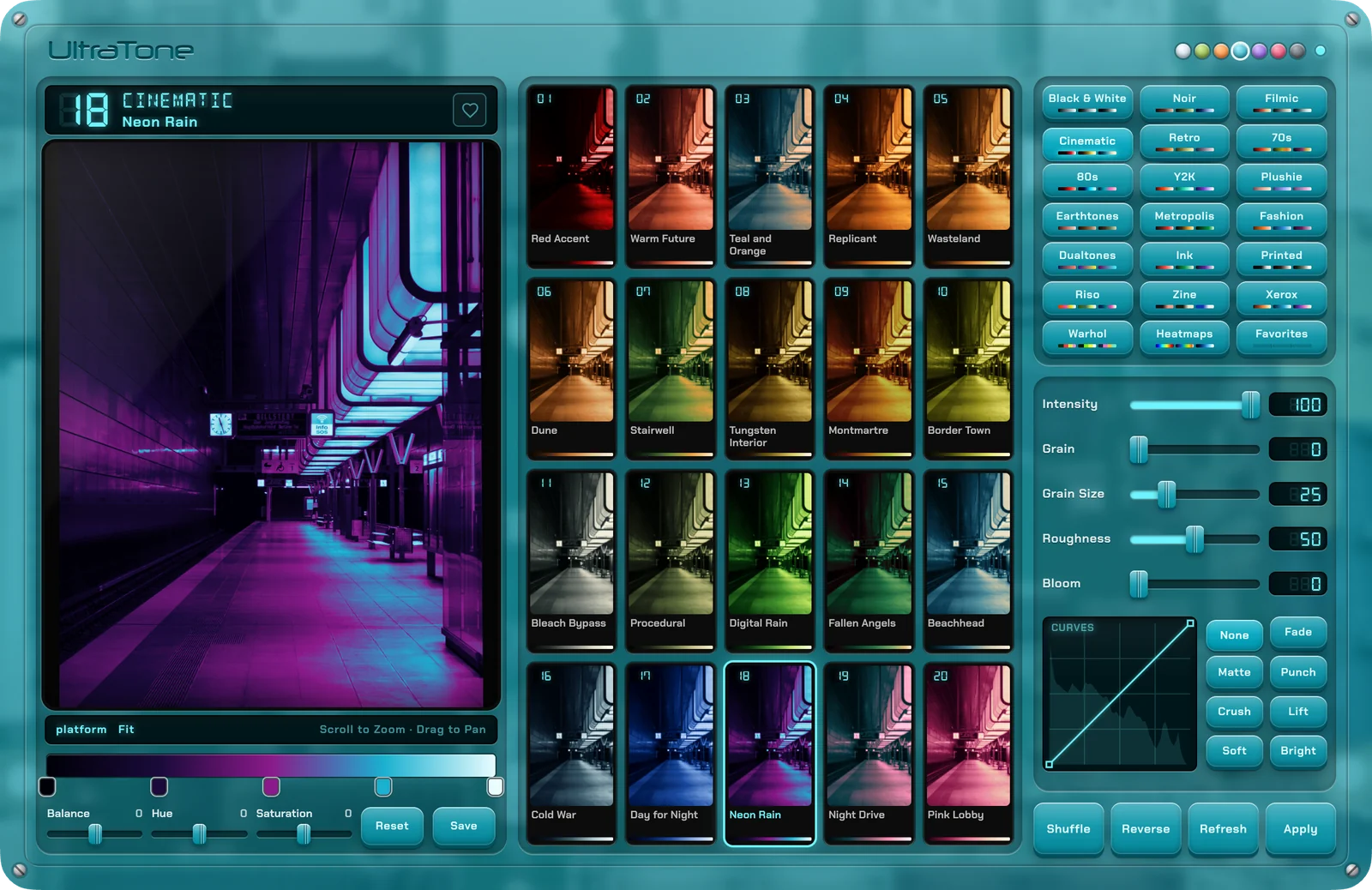
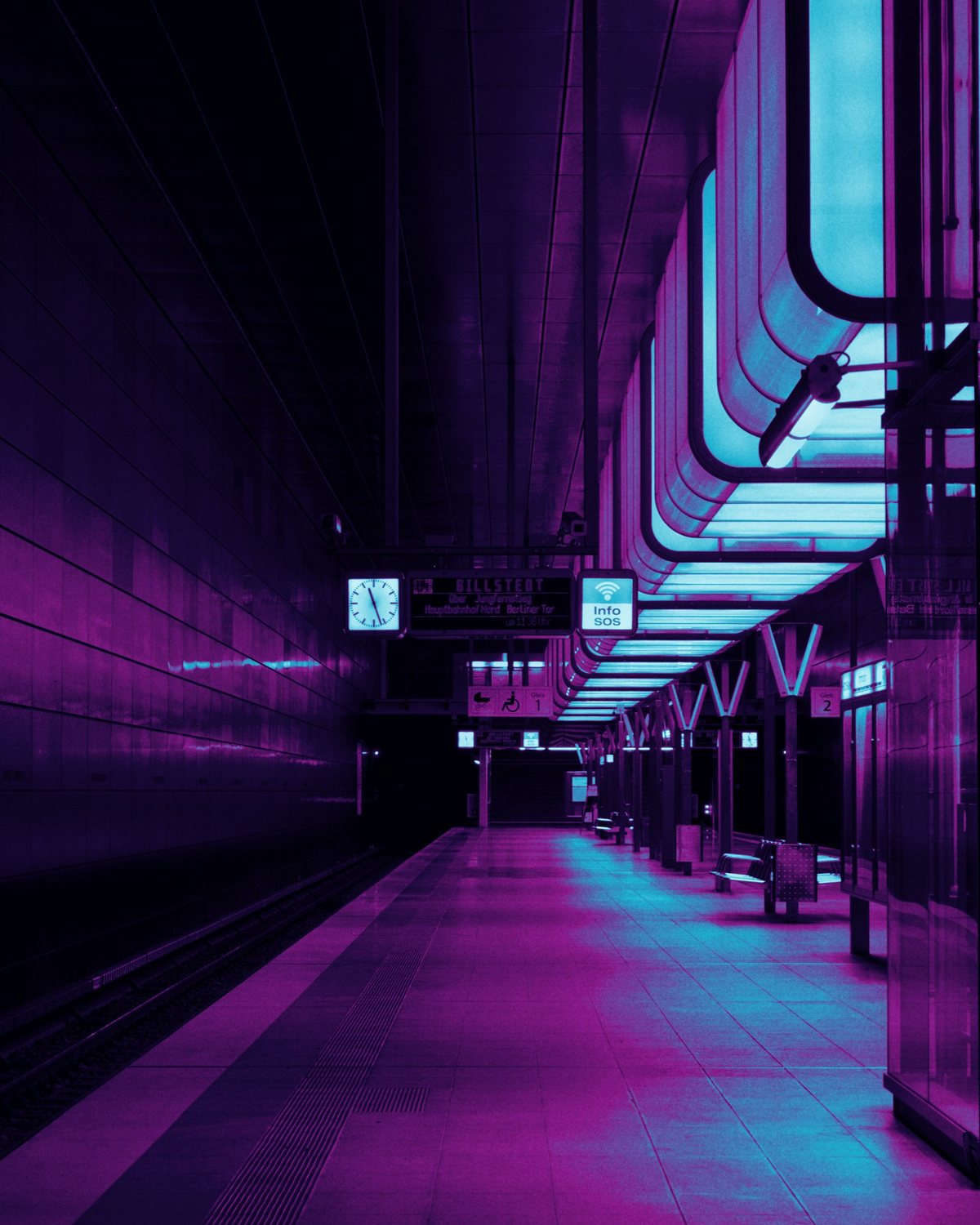
UltraTone adds the look to your photo as a layer group with a gradient map, curves, grain and bloom. Each one is a normal Photoshop layer you can edit, mask or switch off. Click another look to swap it.

 BeforeAfter
Set the amount, size and roughness. The grain sits on its own overlay layer above the color.
Bloom adds a soft glow to the highlights in the look's own colors. It sits on its own layer above the map.
Choose one of eight presets, from Fade to Crush, or drag points on the graph yourself.
Intensity blends the look back toward your original colors, anywhere from a light tint to the full map.
Reverse flips the gradient, putting the highlight color in the shadows.
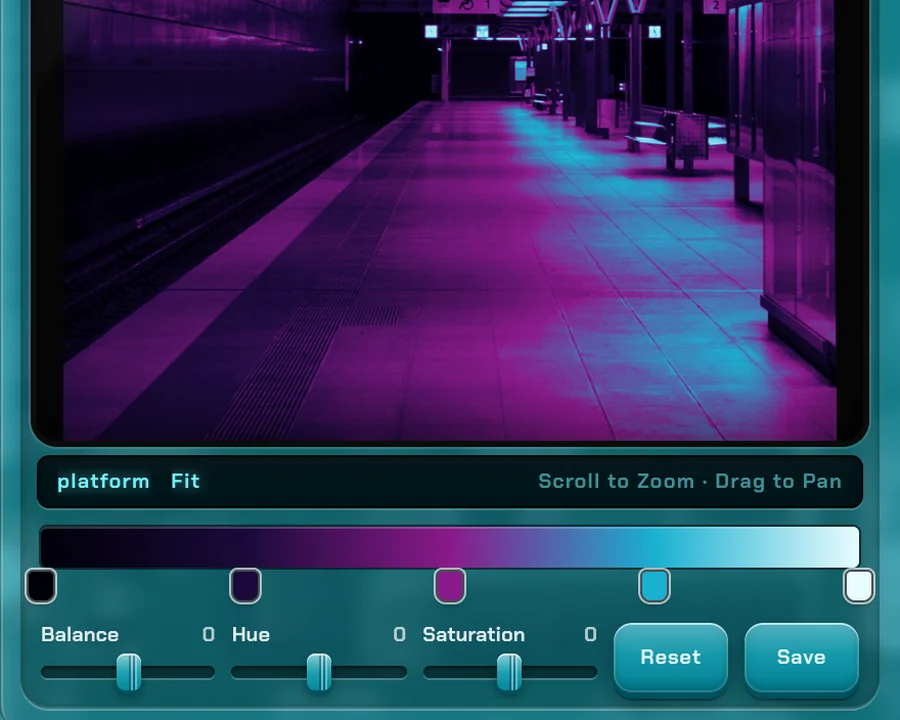
Move any stop or give it a new color, and adjust the hue, saturation and balance. The preview updates as you drag.
Save adds the current look to your Gradients panel, where any tool can use it.
The heart saves the current look to Favorites, including any edits.
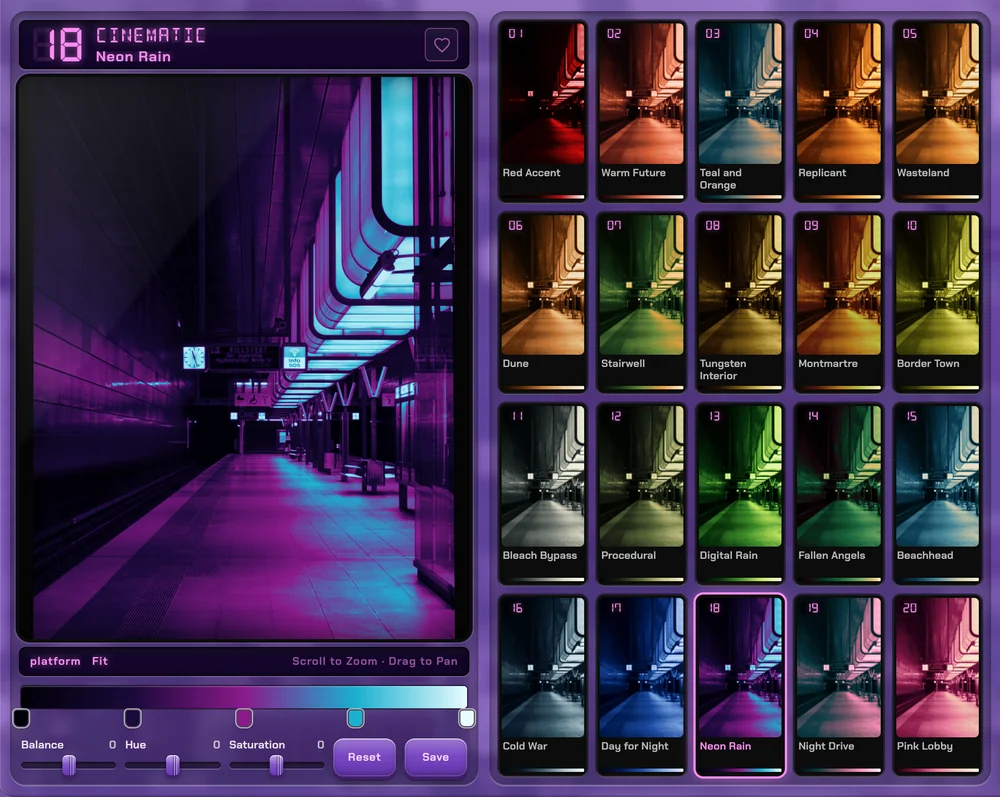
Shuffle jumps to a random look in a random category, for when you don't know where to start.
Each of the 20 categories contains 20 hand-crafted looks, from black and white and film grades to riso inks, Warhol prints and heatmaps.
No. UltraTone adds a group of adjustment layers above your image. Hide it, mask it or delete it whenever you like.
Yes. Edit any look's stops and colors, then heart it to keep it in Favorites or save it to your Gradients panel.
No. Previews are drawn in the panel from a small copy of your image. Photoshop only does work when you apply.
It's coming soon. Leave your email below and you'll get a note the day it's available.
Enter your email below to get a note in your inbox as soon as UltraTone is available.
Your email is only used for the UltraTone launch note.